
The Kernel
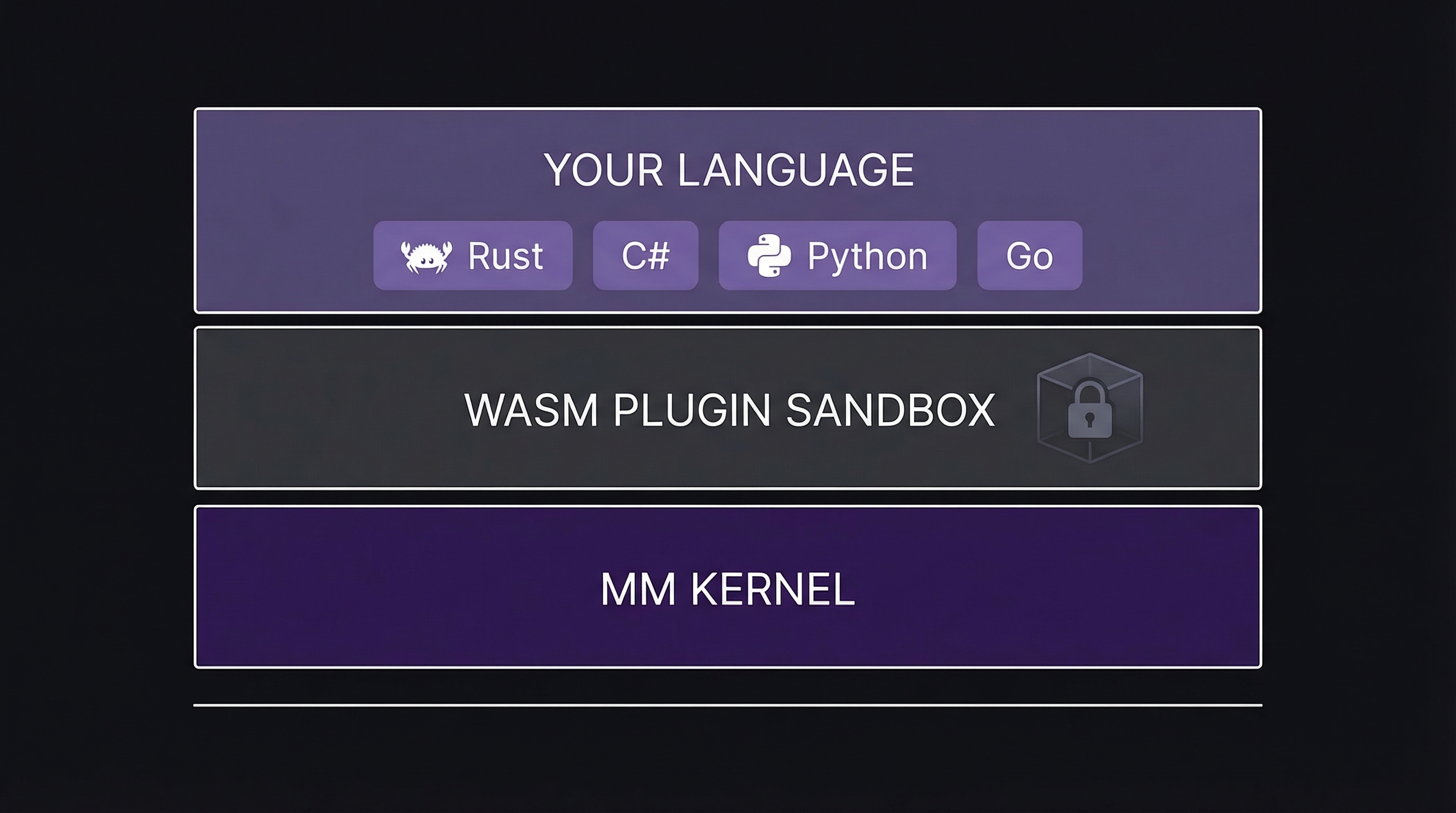
The kernel is intentionally minimal. It loads plugins, runs the event loop, manages WASM sandboxes, and routes events. That’s it. It doesn’t know about rendering, physics, or your game logic — those are plugins.
This is what we mean by “plugin-first”: the kernel’s job is to load plugins and get out of the way.
Plugins
Every game system is a plugin. Plugins are WASM modules with a standard interface: plugin_init, plugin_update, and plugin_on_event. You don’t implement these directly — the SDK handles it.
Each plugin has a plugin.toml manifest that declares:
- Identity — name, version, description
- Events produced — what events this plugin emits
- Events consumed — what events this plugin subscribes to
- Dependencies — other plugins this one requires
- Context — editor-only, game-only, or shared
Event Bus
Plugins don’t call each other. They communicate through the event bus — a self-describing, schema-aware message system.
Emitting an event:
ctx.emit("player:jumped", "{ "height": 2.5 }");Subscribing to events:
// in init():
ctx.subscribe("player:jumped");
ctx.subscribe("player:landed");

// in on_event():
if event.kind == ctx.event_id("player:jumped") {
    // handle jump
}
Event naming convention: Events use namespace:action format. Use your plugin name as the namespace:
my-game:started
my-game:score-updated
input:key-down
render:frame-start
WASM Sandbox
Plugins run inside a WebAssembly sandbox via wasmtime. This means:
- A buggy plugin cannot crash the kernel or other plugins
- Plugins cannot access memory they don’t own
- Plugins communicate only through the event bus and host functions
- Runtime-unsafe operations are caught and isolated
Architecture Diagram
MM Studio
MM Studio is the developer dashboard served by the editor shell on port 4242. Launch your game and open localhost:4242.
MM Studio gives you:
- Plugin Manager — see loaded plugins, enable/disable, trust status
- Live Event Stream — real-time event bus with filtering
- Scene Inspector — entity tree and component editor
- Performance Monitor — frame time, memory, plugin budgets
- Feedback — Bug and Idea buttons on every screen, auto-captured context